

Download AVG Cleaner – Fast, Free Disk Space Optimizer for Mac
Overview
If your Mac’s internal drive is constantly screaming “Out of space!” you need a reliable, secure, and easy‑to‑use tool that can instantly free up storage without compromising your data. AVG Cleaner is that tool. Designed by the trusted security brand behind AVG Protection, this Mac‑only utility combines a lightning‑quick duplicate file finder with a deep‑scan hard‑drive cleaner.
Within seconds it builds a visual map of the largest space‑hogging items, flags duplicate photos, videos, and documents, and lets you delete them directly from the Finder view. Because it’s part of the larger AVG ecosystem, you also gain the ability to manage your Mac remotely via the AVG Zen panel from a Windows PC, making it a unique bridge between macOS and Windows environments. While the program is free to download and use, it integrates with the paid AVG Protection suite for additional performance and security layers.
Use it responsibly—once files are removed, they cannot be automatically restored, so a careful review before deletion is essential.
Key Features & What Sets AVG Cleaner Apart
- Ultra‑Fast Scanning Engine: Scans your entire drive in under a minute on most modern Macs, delivering instant results.
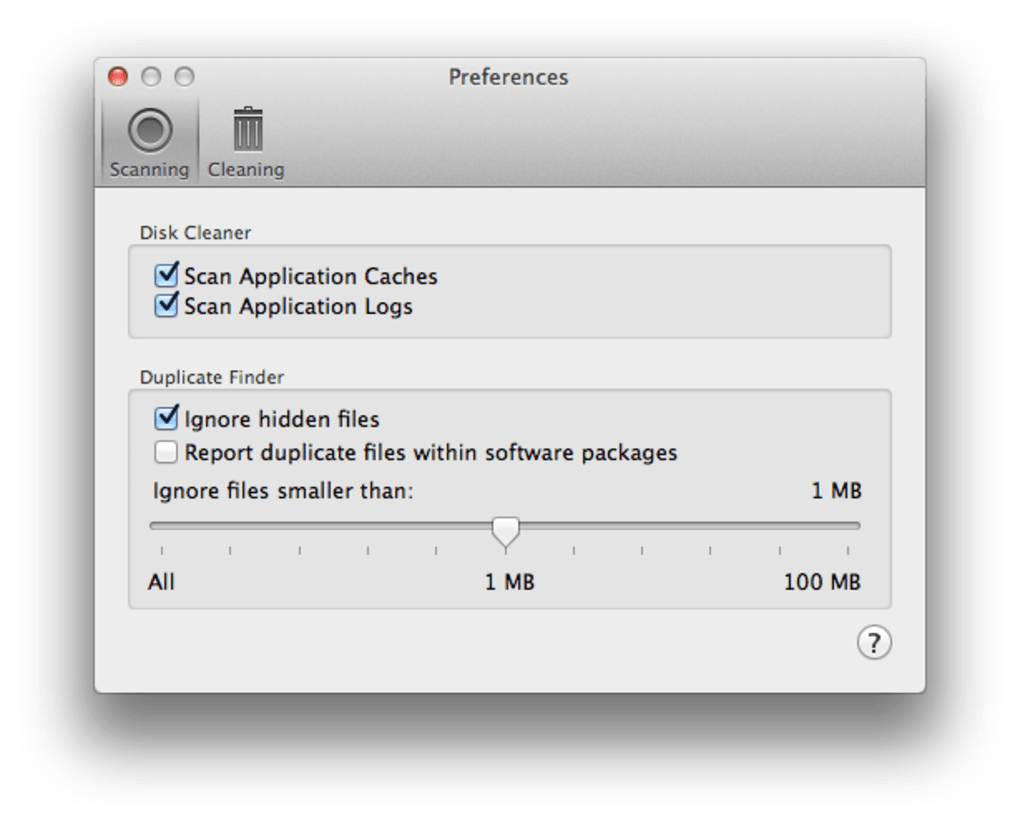
- Duplicate Finder: Detects exact and similar duplicates across images, audio, video, and document formats, displaying them with thumbnails for quick visual confirmation.
- Hard‑Drive Cleaner: Highlights large, unused, or forgotten files—such as old installers, cache files, and language packs—and suggests safe removal options.
- Finder Integration: Shows the exact location of each file in Finder, allowing you to open the folder directly from the results window.
- Remote Management via AVG Zen: Add your Mac to the AVG Zen dashboard and control cleaning tasks from any Windows PC, perfect for multi‑device households.
- Secure Deletion Alerts: Provides clear warnings before permanent deletion, reducing accidental loss of important data.
- Low System Impact: Runs in the background with minimal CPU and memory usage, ensuring your Mac stays responsive during scans.
- Free Core Version: All essential cleaning functions are available at no cost; premium features are offered through the AVG Protection bundle.
What truly differentiates AVG Cleaner from other Mac cleaners on the market is its seamless integration with the broader AVG security suite. While many tools focus solely on junk file removal, AVG Cleaner adds a layer of security awareness by partnering with AVG Protection, which monitors for malware, adware, and other performance‑draining threats. This synergy means you get a cleaner system that’s also safer, without having to juggle multiple apps. Additionally, the remote‑control feature via AVG Zen is a rarity for Mac utilities, giving power users the flexibility to trigger scans and deletions from a Windows workstation—a boon for IT admins or families with mixed‑OS devices.
Installation, Usage Instructions & Compatibility
Step‑by‑Step Installation
- Visit the official AVG website and click the “Download AVG Cleaner for Mac” button.
- Once the
.dmgfile finishes downloading, double‑click it to mount the installer. - Drag the AVG Cleaner icon into the Applications folder as prompted.
- Open the app from your Applications folder; macOS will request permission to access your files—grant Full Disk Access under System Settings > Privacy & Security > Full Disk Access.
- Restart the application if prompted, then you’re ready to scan.
How to Run a Scan
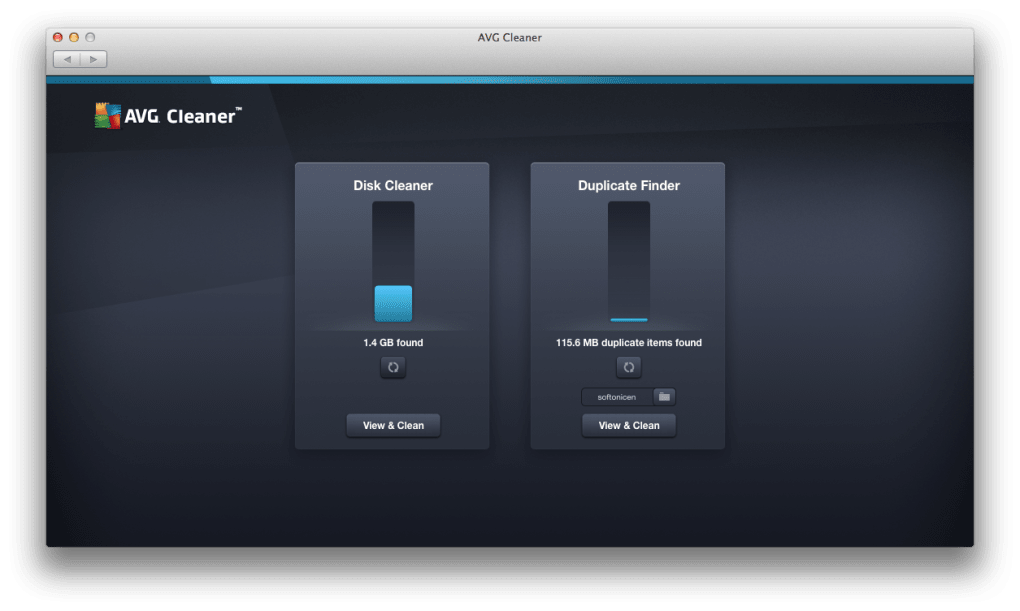
Upon launching, you’ll see two primary tabs: “Duplicate Finder” and “Cleaner.” Select “Duplicate Finder” to locate duplicate files, or choose “Cleaner” to perform a comprehensive space‑analysis scan. Click the “Start Scan” button; the engine will crawl your drive, indexing files and calculating their sizes. When the scan completes, results appear in a sortable list. Use the built‑in preview pane to verify files, then tick the checkboxes next to items you wish to delete. Finally, click “Remove Selected” and confirm the deletion prompt.
System Requirements
AVG Cleaner is compatible with macOS 10.14 (Mojave) and later, including macOS 13 (Ventura) and the upcoming macOS 14 release. The app runs on both Intel‑based Macs and Apple Silicon (M1/M2) devices, automatically leveraging native architecture for optimal performance.
Best Practices for Safe Cleaning
- Always preview files before deletion; the built‑in thumbnail view helps you avoid removing important documents.
- Consider backing up critical data to Time Machine or an external drive before a large‑scale clean.
- Run the duplicate scan first, as removing redundant copies often frees the most space with minimal risk.
- Use the “Safe Delete” option (if available) to move files to the Trash instead of permanent removal, giving you a chance to recover accidental deletions.
Following these steps ensures a smooth experience and maximizes the amount of recoverable space without compromising your workflow.
Pros, Cons & Frequently Asked Questions
Pros
- Fast, lightweight scanning engine that finishes within seconds.
- Accurate duplicate detection with visual previews.
- Integrated with AVG Protection for added security.
- Remote management via AVG Zen panel.
- Free core version with essential cleaning tools.
- Low CPU & memory footprint, safe for use while working.
Cons
- No built‑in undo feature; deletions are permanent unless manually moved to Trash first.
- Advanced cleaning options (e.g., scheduled scans) require a paid AVG Protection subscription.
- Interface may feel simplistic for power users seeking deep customization.
FAQ – Your Questions Answered
Is AVG Cleaner completely free?
The core cleaning and duplicate‑finding features are free. Premium features, such as scheduled scans and deeper system optimization, are unlocked through a paid AVG Protection subscription.
Can AVG Cleaner delete system files?
AVG Cleaner focuses on user‑generated files, caches, and duplicates. It does not target essential macOS system files, so there’s little risk of breaking the OS.
How does the remote management via AVG Zen work?
After installing AVG Cleaner, you can add your Mac to the AVG Zen dashboard. From any Windows PC logged into the same AVG account, you can trigger scans, view results, and initiate deletions remotely.
Will AVG Cleaner slow down my Mac during a scan?
The scanning engine is optimized for low resource usage. Most users notice only a slight, temporary increase in CPU activity, which quickly returns to normal once the scan finishes.
Is there a way to recover files after I delete them with AVG Cleaner?
AVG Cleaner does not provide an automatic undo. If you chose “Move to Trash” during deletion, you can restore files from the Trash. Otherwise, you’ll need to rely on a backup solution such as Time Machine.
User Review
Pros: Fast scan, clear UI, safe duplicate detection.
Cons: No built‑in undo, advanced features behind a paywall.
Conclusion – Should You Download AVG Cleaner?
For Mac owners who are fed up with constantly battling low‑disk‑space warnings, AVG Cleaner offers a no‑frills, high‑speed solution that does exactly what it promises: locate duplicate files, highlight space‑hogging items, and let you purge them with confidence. Its integration with the broader AVG Protection ecosystem adds a layer of security that most standalone cleaners simply lack, while the remote‑control feature via AVG Zen gives it a unique edge for mixed‑OS households. The free version is more than sufficient for everyday cleaning, and the occasional need for deeper optimization can be met by upgrading to AVG Protection. Just remember to review each file before deletion and keep a recent backup—these best practices will mitigate the only notable drawback: the lack of an automatic undo. Overall, if you’re looking for a trustworthy, fast, and secure Mac cleaning tool, downloading AVG Cleaner is a solid choice that will help you reclaim valuable gigabytes without compromising performance.
Download AVG Cleaner now and start freeing up space on your Mac today!







